> For the complete documentation index, see [llms.txt](https://blog.azagra.dev/llms.txt). Markdown versions of documentation pages are available by appending `.md` to page URLs; this page is available as [Markdown](https://blog.azagra.dev/android/habilitar-volte-y-vowifi-oneplus-8t.md).
# Habilitar VoLTE y VoWiFi OnePlus 8T
Testeado en ROM Stock: OxygenOS 14 ([14.0.0.1311 EX01](https://community.oneplus.com/thread/1967661946815643650))\
Operador: Movistar / O2\
Aplicaciones:\
Shizuku: [v13.6.0](https://github.com/RikkaApps/Shizuku/releases/tag/v13.6.0)\
Pixel IMS: [v1.3.2](https://github.com/kyujin-cho/pixel-volte-patch/releases/tag/1.3.2)
Antes de nada, consulta con tu operador si tienes habilitado VoLTE y VoWiFi, si no es así, te lo tienen que habilitar, luego ya podrás realizar el tutorial.
En ***Opciones de Desarrollador*** hay que activar ***Depuración inalámbrica*** y también activar ***Desactivar supervisión de permisos*** que está casi abajo del todo, si no Shizuku dará problemas.
1. Cuando activamos la depuración inalámbrica nos pide dar a permitir en la red wifi que estemos conectados en ese momento. Le damos permitir.
2. Abrimos la aplicación Shizuku, Entramos en la ***Depuración inalámbrica*** y damos ***Emparejar dispositivo*** ***con código de sincronización***. Nos aparece un código de 6 cifras.
En Shizuku detectara ese código o lo metemos a mano.
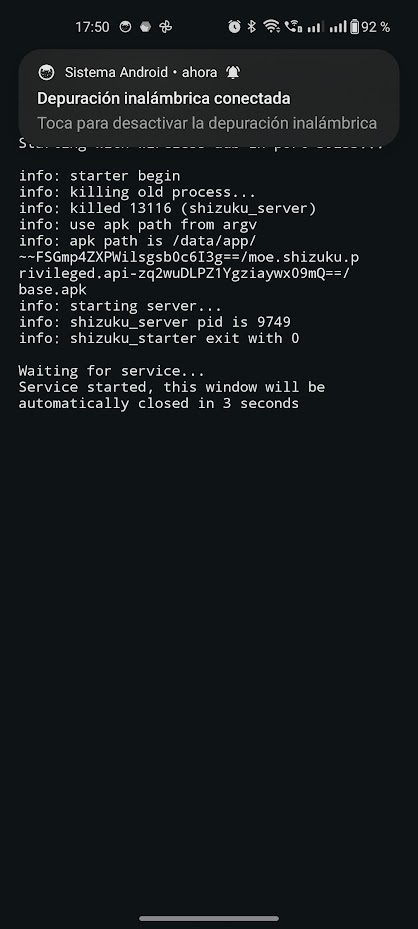
Volvemos a la App de Shizuku y le damos a ***Iniciar***, aparecerá una terminal que se quitara sola pasado unos segundos.
Ya tenemos Shizuku corriendo, ahora abrimos la aplicación Pixel IMS, nos preguntara, le damos ***Permitir siempre***.
Luego en las pestañas en la parte inferior, seleccionamos la SIM que queremos habilitar ***VoLTE*** y ***VoWiFi***, habilitamos y sin tocar nada mas, reiniciamos el OnePlus 8T.
Después de reiniciar, entramos en ***Ajustes / Red móvil /*** seleccionamos la SIM, y habilitamos ***Llamadas Wi-Fi*** y ***Llamadas 4G*** (este seguramente aparezca habilitado)